
How to Create a Freelance Portfolio as a Beginner
If you’re starting your freelancing journey, one of the biggest questions you’ll face is how to create a freelance portfolio with no experience. Many beginners assume that a portfolio requires paid client work, but that’s not true. What clients care about most is your skill, clarity, and ability to solve their problems. This guide will help you understand how to create a freelance portfolio from scratch, even if you’re a complete beginner.
1. Understand Why a Portfolio Matters
Before learning how to create a freelance portfolio, you need to know why it’s important. A portfolio is proof that you can deliver results. It shows your skill level, your style, and your approach to work. Even if you don’t have clients yet, a strategic portfolio builds trust and makes clients confident enough to hire you.
2. Pick One Skill to Highlight
A common beginner mistake is trying to display too many skills. When learning how to create a freelance portfolio, focus on a single niche—content writing, design, social media, video editing, web development, etc. A niche-focused portfolio looks more professional and makes your expertise clearer.
3. Create Sample Projects (Even Without Clients)
One of the easiest ways to start is by building your own sample work. When thinking about how to create a freelance portfolio, remember that samples matter just as much as paid projects.
Examples:
~Writers can create blogs, product descriptions, and captions.
~Designers can design branding for fictional brands.
~Marketers can create sample strategies and case-style breakdowns.
These samples will form the base of your portfolio and help you show what you’re capable of.
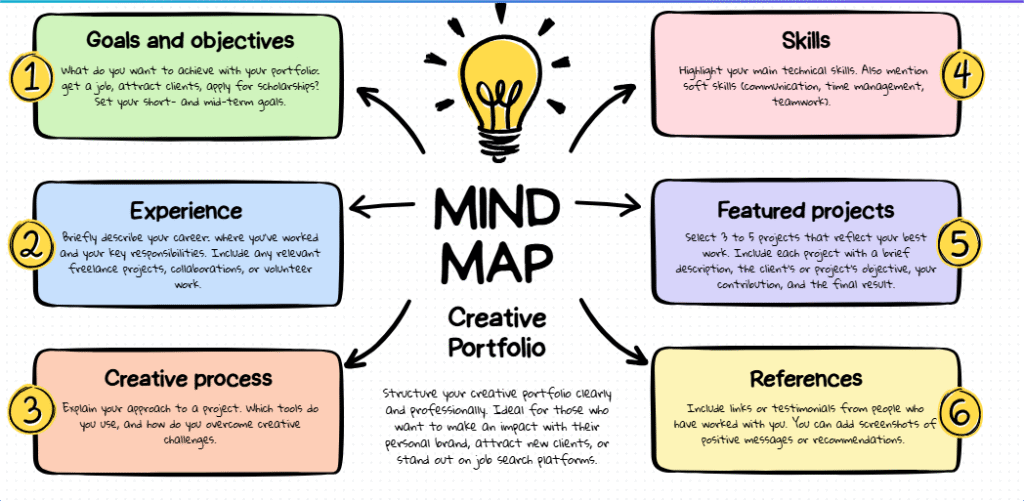
4. Add a Clear Description for Each Project
A strong portfolio doesn’t just show your work—it explains it. This is a crucial part of how to create a freelance portfolio that many beginners skip.
For every project, include:
What the project was
The problem or objective
Your strategy
The final result or output
This shows your thinking process and helps clients understand your approach.
5. Keep the Design Simple and Professional
While learning how to create a freelance portfolio, remember that layout matters. Whether you’re using Canva, Notion, Wix, Behance, or a simple PDF, your design should be:
Clean
Easy to navigate
Mobile-friendly
Focused on your work
A neat structure helps clients find what they are looking for quickly.
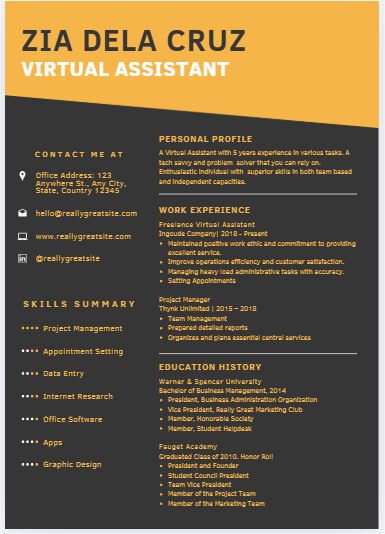
6. Add an “About Me” Section
A personal introduction builds trust. When learning how to create a freelance portfolio, include a short section about:
-Who you are
-What you do
-Your expertise
-The type of clients or projects you want
Keep it simple, friendly, and professional.
7. Include Testimonials (Optional but Powerful)
Even if you haven’t worked with clients yet, you can request testimonials from people you’ve helped—teachers, classmates, or anyone who has seen your skill. This step is recommended when figuring out how to create a freelance portfolio because social proof increases credibility.
8. Make Your Portfolio Easy to Share
A key part of how to create a freelance portfolio is ensuring it’s accessible. Create a shareable link and use it across:
Freelance platforms
Social media
Email pitches
Your website
The easier your portfolio is to view, the more clients will check it out.
FINAL THOUGHTS
Now you know how to create a freelance portfolio that looks professional, even as a beginner. Focus on clear samples, good structure, and simple design. A strong portfolio helps you attract clients faster, stand out in your niche, and build credibility from day one. With consistency and quality, your portfolio becomes your biggest asset in your freelancing journey.